reading-notes
Class-04 reading
Duckett HTML book Chapter 4 : Links
Links are created using the < a > element. Users can click on anything between the opening < a > tag and the closing < / a> tag. You specify which page you want to link to using the href attribute.
<a href="YOUR LINK HERE">YOUR LINK NAME</a>
Duckett HTML book Chapter 15 : Layout
CSS treats each HTML element as if it is in its own box. This box will either be a block-level box or an inline box.
Containing Elements
If one block-level element sits inside another block-level element then the outer box is known as the containing or parent element.
CSS has the following positioning schemes that allow you to control the layout of a page: normal flow, relative positioning, and absolute positioning. You specify the positioning scheme using the position property in CSS. You can also float elements using the float property.
Screen Sizes
Different visitors to your site will have different sized screens that show different amounts of information, so your design needs to be able to work on a range of different sized screens.
Sc reen Resolution
Resolution refers to the number of dots a screen shows per inch. Some devices have a higher resolution than desktop computers and most operating systems allow users to adjust the resolution of their screens.
Page Sizes
Because screen sizes and display resolutions vary so much, web designers often try to create pages of around 960-1000 pixels wide (since most users will be able to see designs this wide on their screens).
Duckett JavaScript book Chapter 3 : Functions, Methods, and Objects
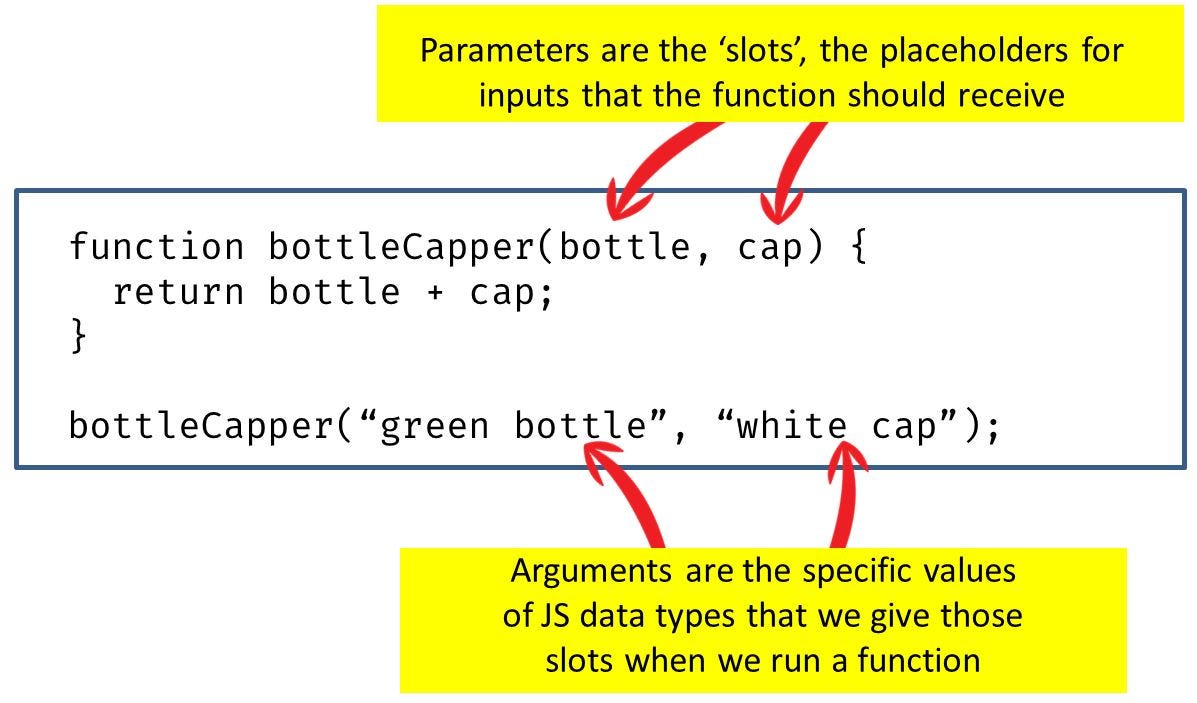
Functions let you group a series of statements together to perform a specific task. If different parts of a script repeat the same task, you can reuse the function (rather than repeating the same set of st atements).

Calling a function that needs information: