reading-notes
Class-01 reading
Duckett HTML book Chapter 1 : Structure
HTML uses elements to describe the structure of pages. and each element made up of two tags:
- An opening Tag.
- A closing Tag.
Any HTML code should be between HTML element : <HTML> The code is written here </HTML>
We have many elements such as H1 (heading) and p (paragraph), they both can be used for text, the main difference between them is the importance.
Attributes provide additional information about the contents of an element, and they are made of two parts: A name and a value, seperated by an equal sign:

HTML code consists of two main parts:
-
The head ; contains the title of the WebPage, the css internal stylling, and the linking sentence for other files.
-
the body; which I will write here my WebPage structure code.
Duckett HTML book Chapter 8 : Extra Markup
We can use DOCTYPE decleration to tell a browser which type of HTML the page is using.
We can add comments in HTML pages and it will not be visible in the user’s browser by:
<!-- your comment here -->
ID Attribute is used to uniquely identify that element from other elements on the page, it’s a value should start with a letter or an underscore. ID attribute known as global attribute because it can be used in any element:
<p id = "par1"> ....... </p>
Class attribute identifying several elements as being different from the other elements on the page:
<p class = "par class1" >.......</p>
Block elements appear to start on a new line in the browser window, such as:
<h1> / <p> / <ul>/ <li>
Inline elements continue in the same line as their neighboring elements, such as:
<a> / <em> / <b> / <img>
Duckett HTML book Chapter 17 : HTML5 Layout
The <header> and <footer> elements can be used for:
- The main header or footer that appears at the top or bottom of every page on the site.
- A header or footer for an individual <article> or <section> within the page.
The <nav> element is used to contain the major navigational blocks on the site such as the primary site navigation.

The <article> element acts as a container for any section of a page that could stand alone and potentially be syndicated.
Duckett HTML book Chapter 18 : Process & Design
When building a site you need to understand and work on the following:
- WHO is the site for?
- WHY people visit your website?
- WHAT your visitors are trying to achieve?
- WHAT information your visitors need?
- HOW often people will visit your site?
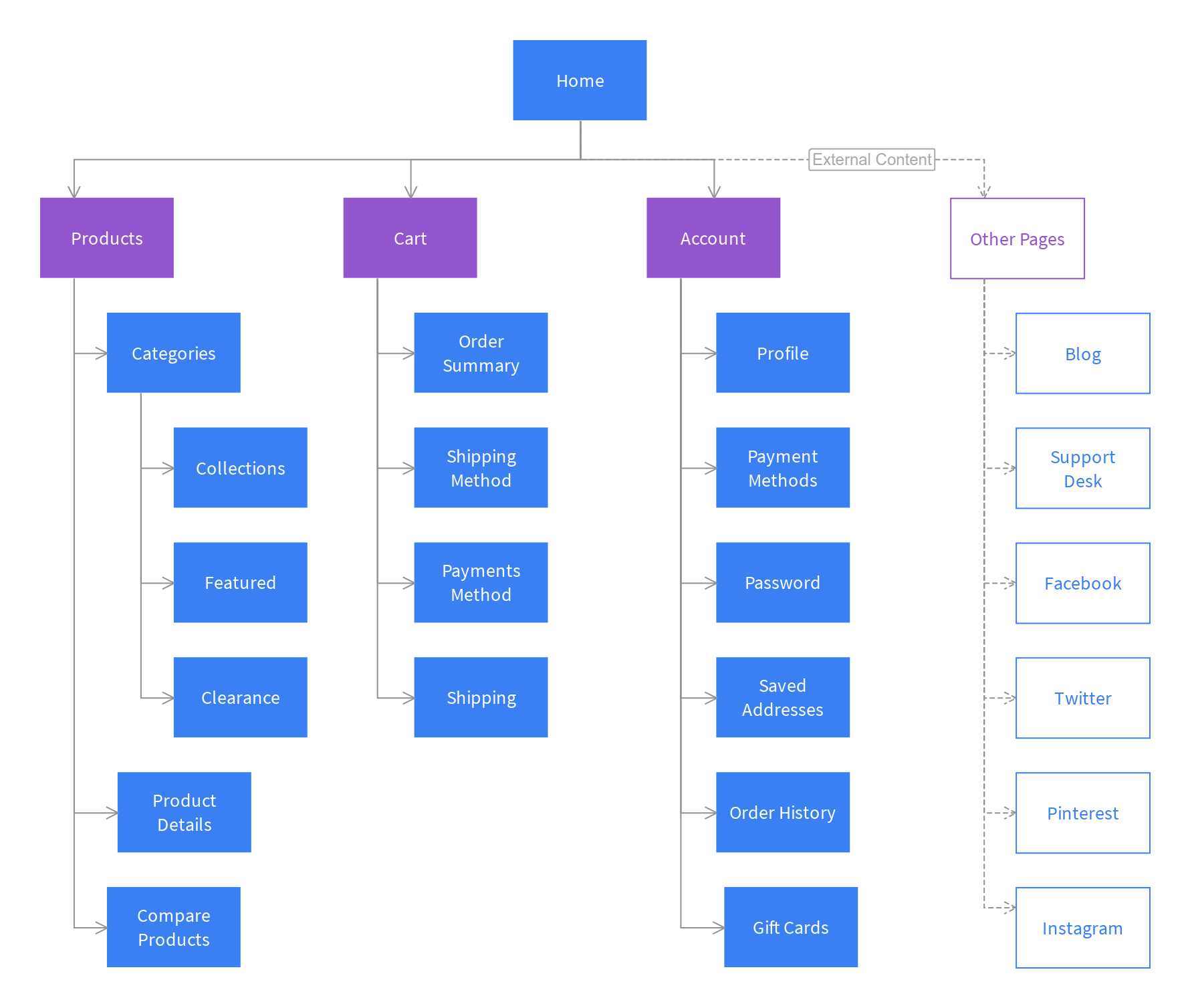
Site maps organize the information into section or pages:
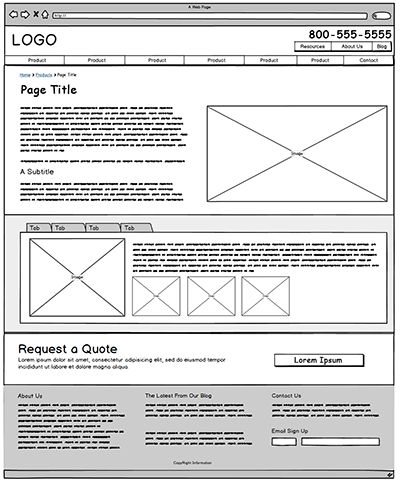
Wire frame is simple sketch of the key information that needs to go on each page of a site:
Gitting your messege across using design:
- Content.
- Prioritizing.
- Organizing.
Duckett JavaScript book Chapter 1 : The ABC of Programming
A script is a series of instructions that a computer can follow to achieve a goal.
You could compare scripts to any of the following:
- RECIPES
- HANDBOOKS
- MANUALS
To write a script, you need to first state your goal and then list the tasks that need to be completed in order to achieve it. Start with the big picture of what you want to achieve, and break that down into smaller steps.
-
DEFINE THE GOAL.
-
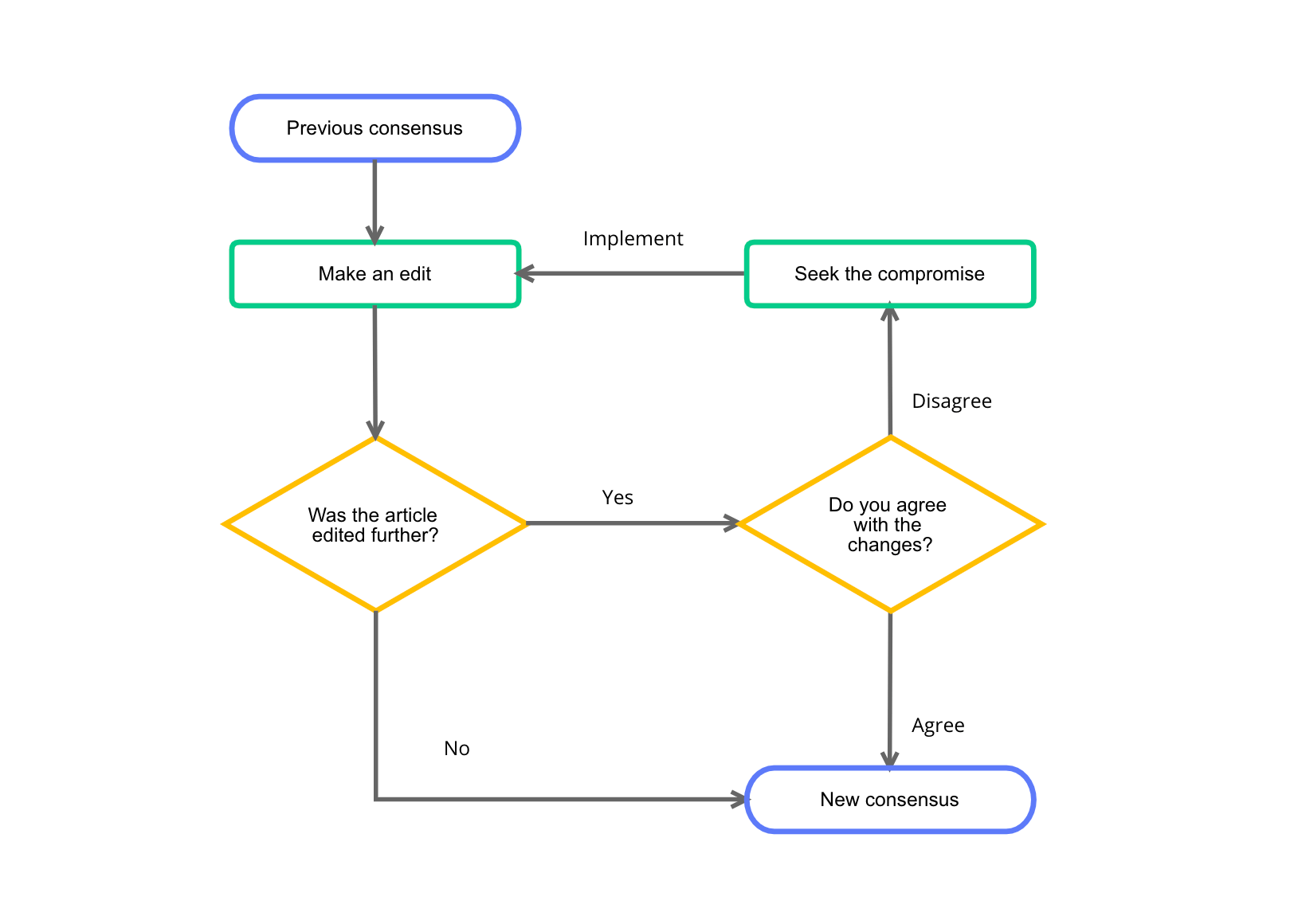
WRITE YOU TASKS, you can use FLOWCHART:
- DESIGN THE SCRIPT:

- CODE EACH STEP.
It is best to keep JavaScript code in its own JavaScript file. JavaScript files are text files (like HTML pages and CSS style sheets), but they have the (. j s extension.)
The HTML script element is used in HTML pages to tell the browser to load the JavaScript file (rather like the link element can be used to load a CSS file).
If you view the source code of the page in the browser,the JavaScript will not have changed the HTML, because the script works with the model of the web page that the browser has created.